Microsoft’s new Copilot looks like the product it should have built much earlier. The company is bringing its workplace AI tools into one experience, and I want that to work. People already spend their days in Microsoft’s files, email and meetings. Asking for help with that work ought to be straightforward.
The question is whether Microsoft can make its strongest tools as easy to start using as ChatGPT, Gemini or Claude. A simpler screen won’t do much good if the person behind it still has to work through a maze of licenses and administrative settings before anything happens.
What Microsoft is bringing together
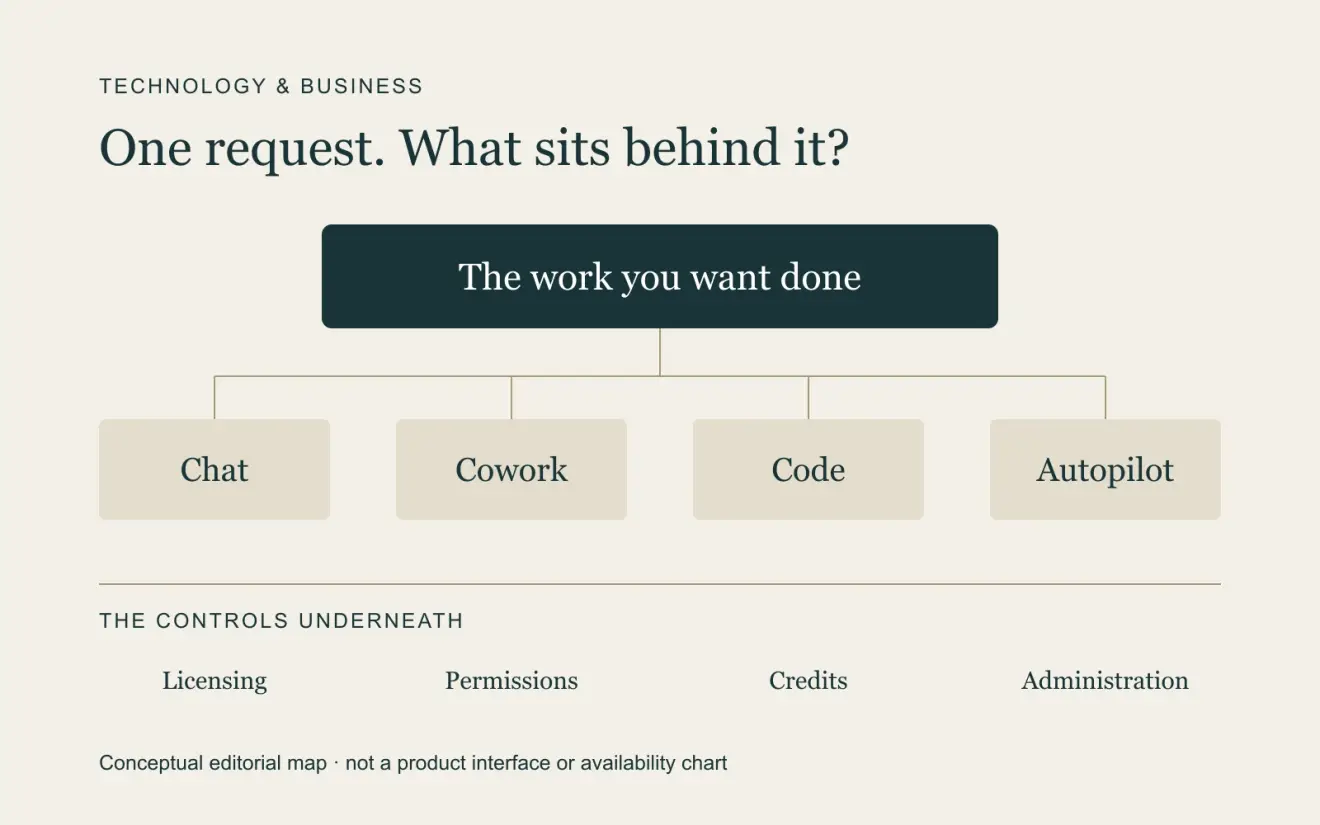
The redesigned Copilot has three main areas. Home brings Chat and Cowork together. Chat handles the conversation, while Cowork takes on a longer assignment. Microsoft is also bringing Word, Excel and PowerPoint into that experience so the result can be an editable file the team continues working in.
Code lets someone describe an app, dashboard or workflow in ordinary language. Microsoft says it uses the same underlying technology as GitHub Copilot, runs in a sandbox and can be hosted inside the organization’s Microsoft 365 environment.
Autopilot is the persistent agent in the group. Microsoft describes it as having its own identity, memory, computer and workspace. It can follow channels, carry out recurring work and return to a project days later. The intention is for it to work in Teams, Outlook and documents, with the organization’s permissions and audit controls behind it.
Microsoft also says people will eventually be able to ask for an outcome without choosing whether Chat, Cowork or Code should handle it. That makes sense to me. I shouldn’t have to understand the company’s product structure before I can ask for a completed piece of work.
What is actually available?
The September 25 announcement describes a rollout, not a finished product available to everyone. Home and Code are starting through Microsoft’s Frontier early-access program in the coming weeks. The company specifically places Code’s Frontier rollout at the end of September, with broader availability in the weeks that follow. Its consumer preview for Microsoft 365 Premium and Pro subscribers is planned for later this year.
Autopilot is expanding to private preview at the end of September. Copilot Managed Runtime, the hosting foundation for apps built in these tools, is in preview. The proactive Today view is scheduled for private preview in October, and automatic routing between Chat, Cowork and Code is described as coming soon.
We can look at that design and see why it could be useful. We can’t yet conclude that an ordinary team will find it easy or dependable. Microsoft has often offered more capability than people know how to find in the products they already own. This redesign has to address that problem along with the interface.
The subscription isn’t the whole cost
As checked on September 25, Microsoft’s U.S. enterprise pricing page lists Microsoft 365 Copilot at $30 per user per month, paid yearly. A separate qualifying Microsoft 365 plan is required. This is the enterprise list price, not a claim that every business or consumer plan costs the same.
Microsoft distinguishes that subscription from usage-based billing. The subscription covers everyday Copilot work in Chat and Microsoft 365 applications. The launch announcement says Cowork, Code, Autopilot, new long-running capabilities and frontier-model use run on usage-based billing. Buying the user license doesn’t make those workloads unlimited.
The Copilot Credits guide lists the pay-as-you-go rate at one cent per credit. Consumption varies with the work involved, including model use, retrieved context, runtime and tools. The guide also describes annual prepaid credit pools with volume discounts; unused credits expire at the end of that annual term.
A task that runs for hours can cost more than a short exchange, depending on the models and tools it uses. My concern is whether a buyer can work out what a useful assignment is likely to cost before committing to it. The price of one credit tells me very little about the cost of a supplier review or an app build.
Microsoft provides spending policies, limits, alerts and consumption dashboards. In Cowork, /cost shows an approximation of the credits a task has already used. It cannot quote the price before the task runs, and Microsoft says it isn’t an authoritative billing record. That distinction matters when we’re talking about predictable spending.
I didn’t find a universal per-project price for Code or a fixed price for an Autopilot assignment in the materials reviewed. Those jobs vary too much to assume one. I’d want to try representative work within a budget and then look at the result: what did we spend, how much correction did it need, and how much of the job did a person still have to do?
The test is whether people can use it
Microsoft has a real advantage in its connection to the work people already do. Files, conversations and organizational permissions can give an assistant useful context. But the user shouldn’t have to learn the differences between Copilot Studio, Work IQ, Azure billing and an administrator’s spending policy just to get started.
I’d want to describe the outcome, understand what the system needs access to, see the spending boundaries and approve the parts that need my judgment. Then I’d want usable work back, with enough evidence to check it. That’s especially important as agents take on longer assignments.
The design points in that direction. The previews still have to show that a normal Microsoft 365 customer can activate the right tools, rely on the work and understand the bill. If Microsoft gets those things right, this could become a much more useful part of the working day. I’ll be looking for that evidence as the rollout continues.